
Follow each section in order for the smoothest setup.
All documentationMentorNova Kajabi Installation and Feature Guide
Install and activate
- 1Keep the Kajabi theme ZIP intact.
- 2Open Products > Courses and select the destination course.
- 3Open Themes, upload the MentorNova ZIP, and wait for processing.
- 4Activate the theme and open Customize.
- 5Confirm the MentorNova logo, colors and typography.
- 6Preview desktop and mobile before publishing.
Duplicate the current live theme before activating a replacement. The customer uploads the final ZIP.
Four-color system
| Role | Default color |
| Foundation | #27265F |
| Primary | #6C63E8 |
| Accent | #FF8364 |
| Soft surface | #F3F1FF |
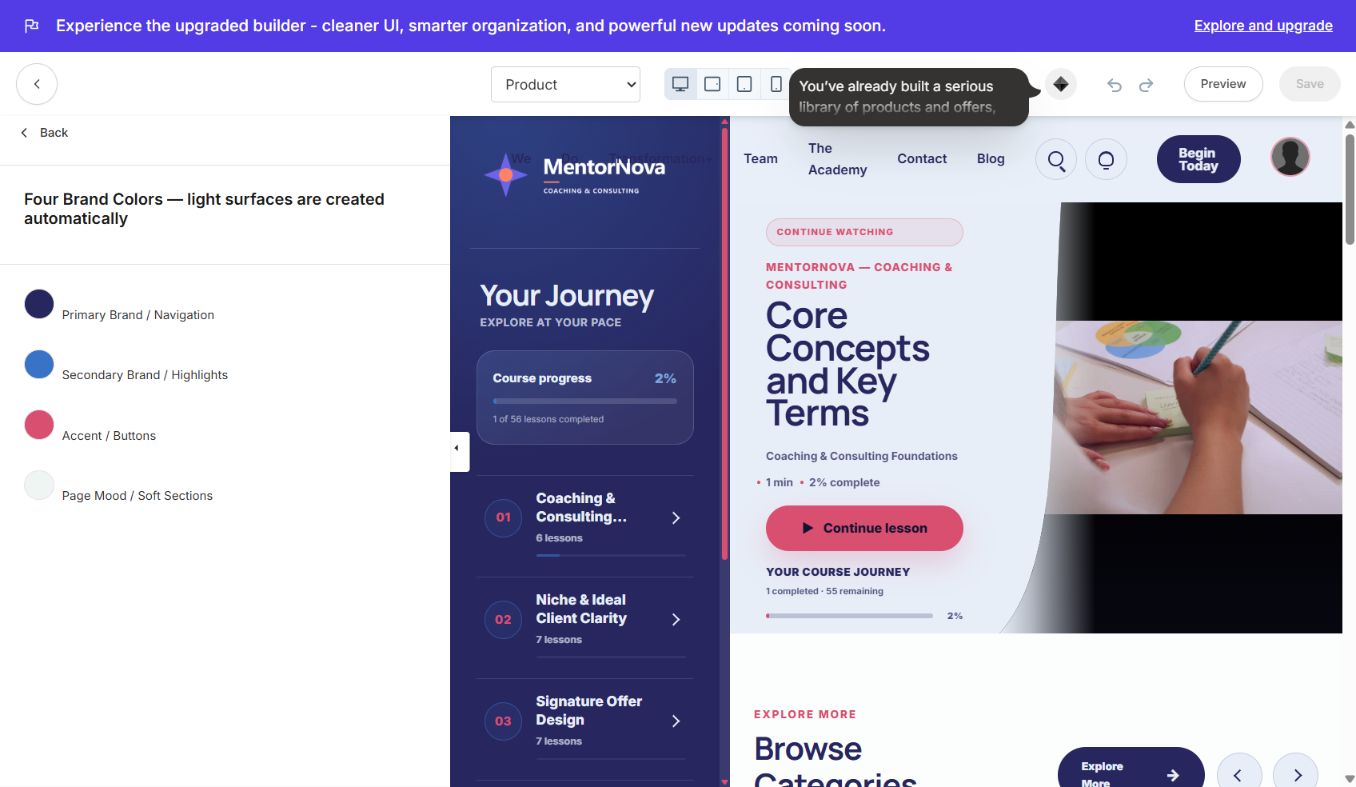
Change all four colors together and verify navigation, buttons, progress, text, cards and focus states.
Typography controls
- Heading Font
- Body Font
- Body Text Size; 17 px is shown
- Heading Size Scale; Compact is shown
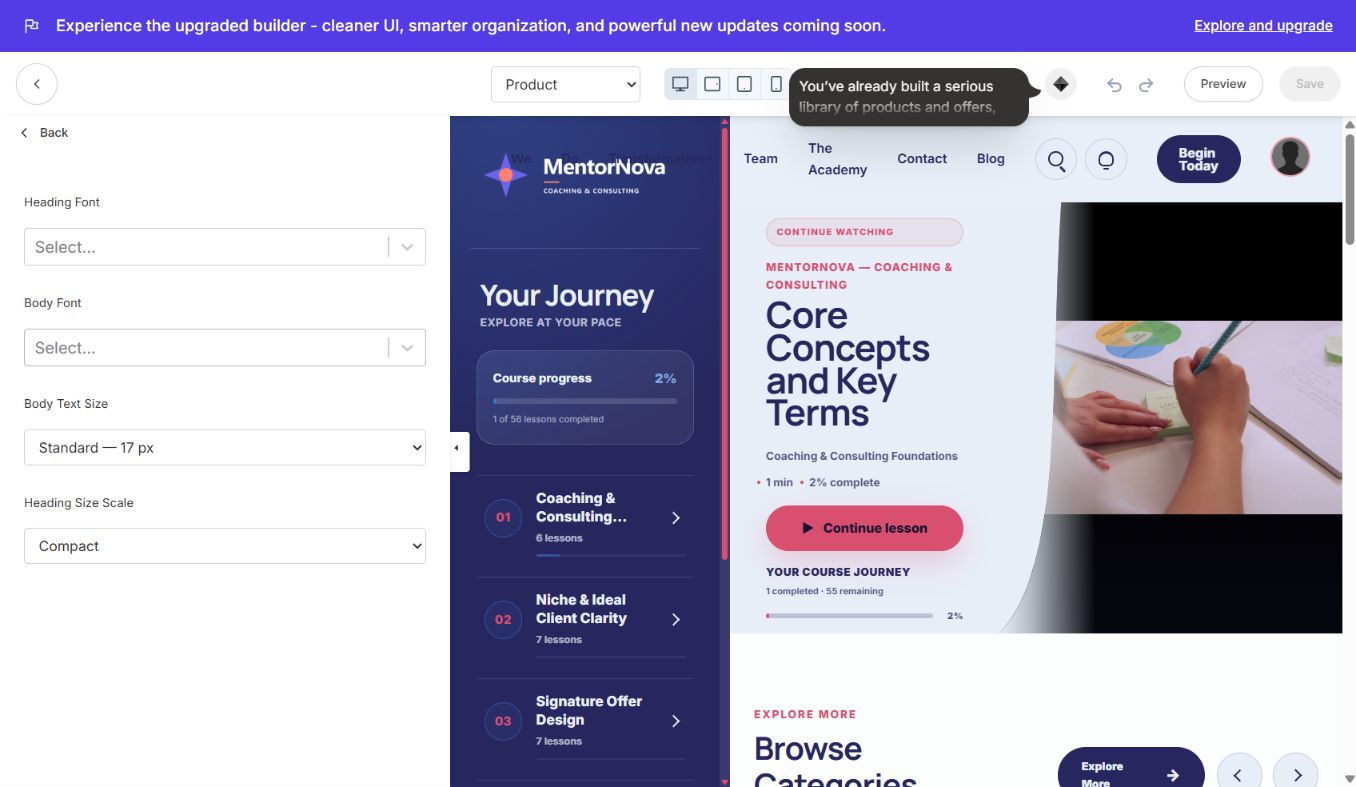
Check long module names, progress labels, instructor details and mobile navigation after every font or size change.
Learner experience
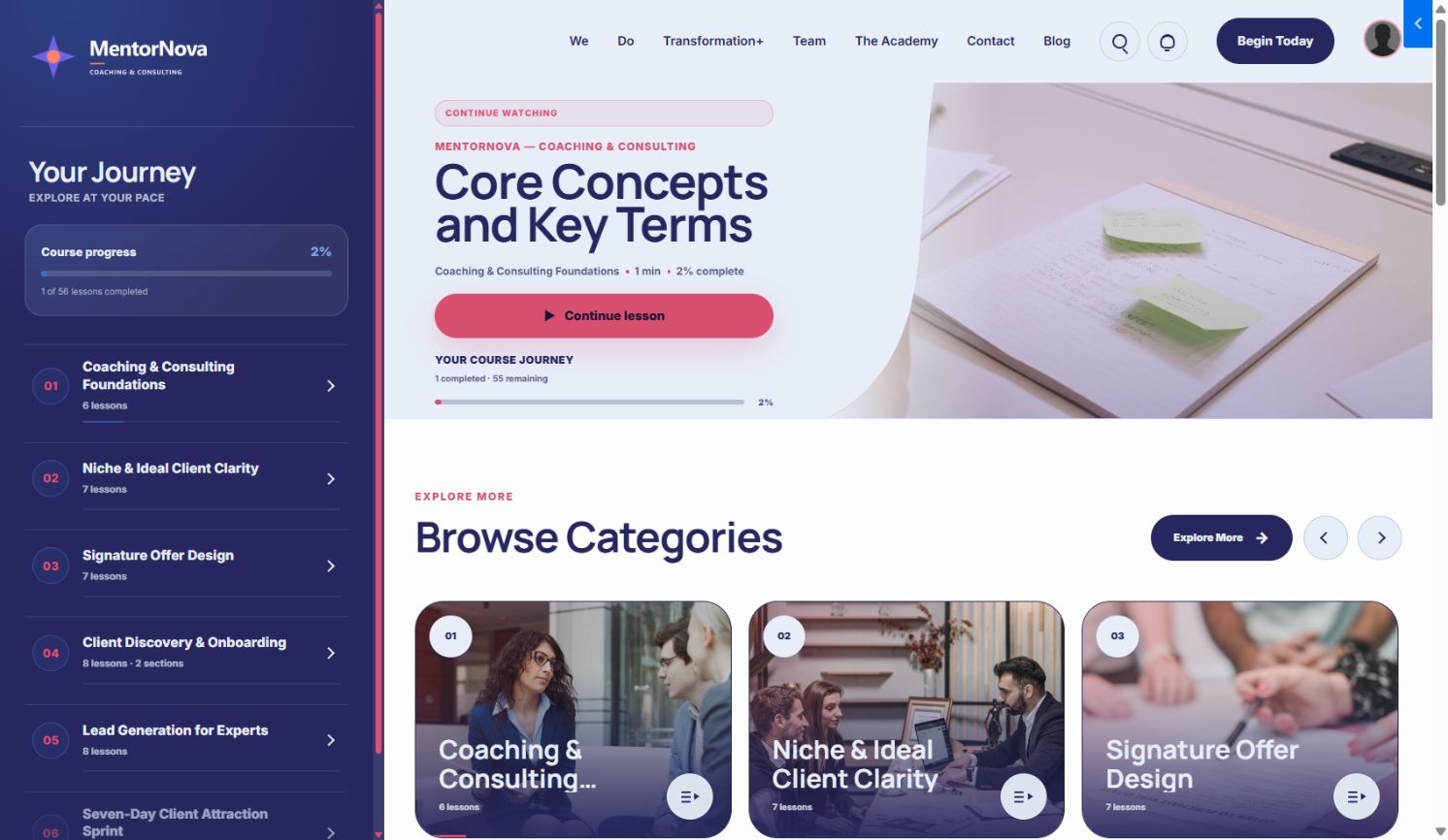
- Branded journey sidebar with module and progress context
- Split-layout Continue Watching hero
- Browse Categories and Continue Learning rails
- Locked modules, favorites and product search
- Announcements, account menu, responsive footer and mobile navigation
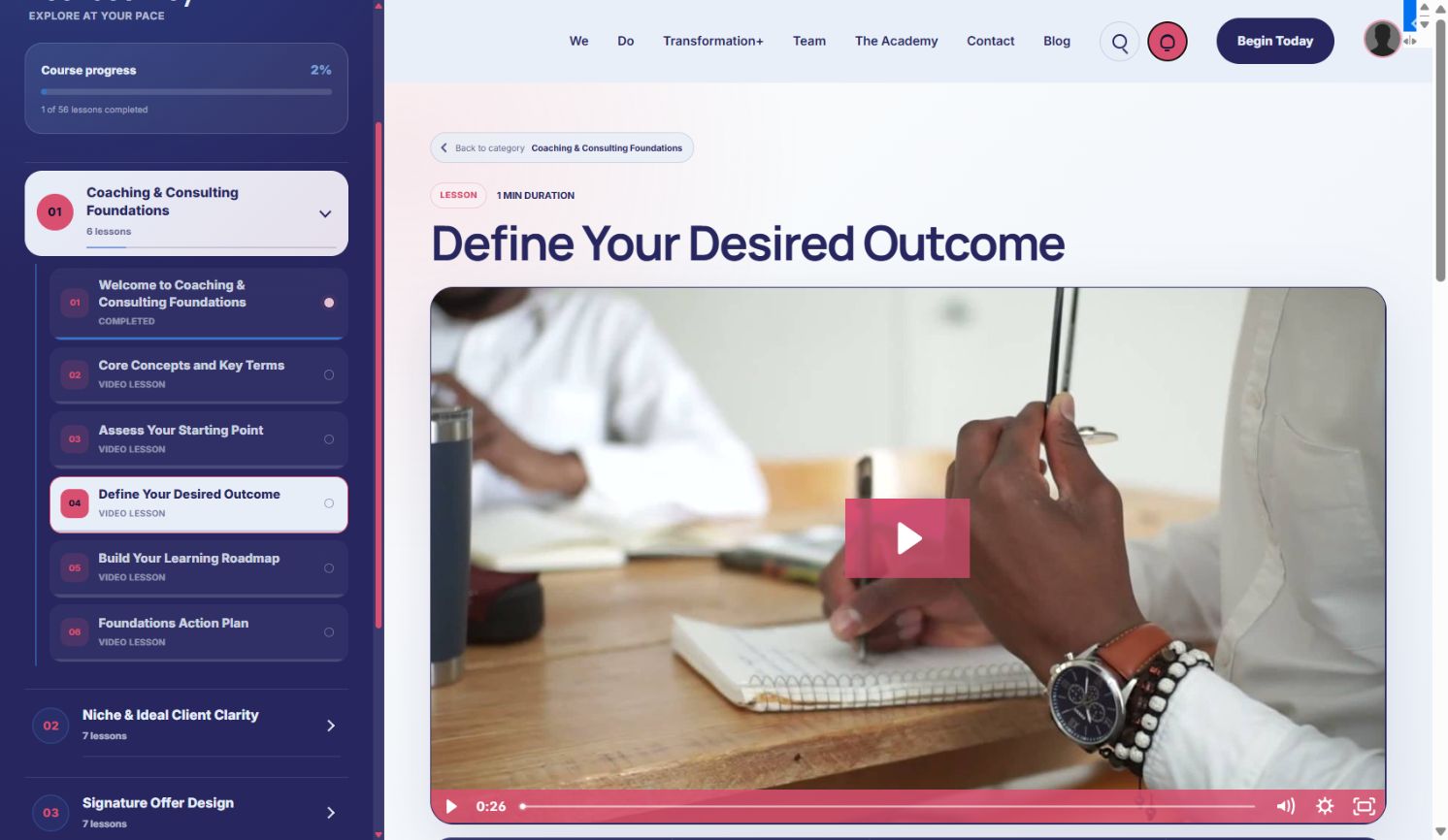
Lesson player
Editable sections
Search, Course Sidebar, Header, Product Home, Product Content Blocks, Community Widget, Product Favorites, Footer and Mobile Navigation.
Launch checklist
- Correct logo, favicon, thumbnail and four colors are visible.
- Desktop and mobile typography is readable.
- Header, footer, account menu and mobile navigation work.
- Search, announcements, favorites, progress and completion actions work.
- Every course and community destination is valid.
Design and support by Ojas Creative.
ElevateAxis — Coaching & Consulting Complete GuideOpenfield Coaching Kajabi Landing Page — Complete Guide
Continue learning
Ready to build your CineFlow site?
Keep this guide open while you customize, and contact support if you get stuck.